Yichus / An experimental playground
Experiments in understanding code an agent wrote.
If an agent wrote most of your code, you still need to trust it, and you can’t read every line. We’re building experimental tools for that. In this calculator, the Why panel is worked out from the program itself.
Tap the calculator, then press Why beside Amount left over.Press Why beside Amount left over. Then move the Guests slider and press it again.
On a desktop with a coding agent? and ask it what the Why panel says.
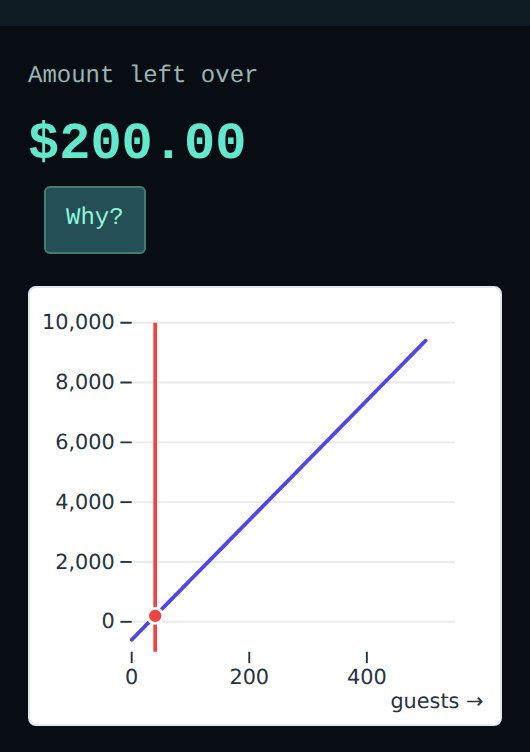
This is a picture of the calculator. Press it to open the live calculator.
This works because of the language the programs are written in. They are written in Bosatsu, a small typed functional programming language, and run on reusable engines that Yichus supplies in JavaScript. A Bosatsu function always finishes, and a program never reads a database or calls the network itself: it hands those requests to the engine. So a tool can work out a program’s formulas, what each part depends on, and which data it reads from its compiled code, without running it and without trusting the agent’s summary of it. Why this combination →
01 / Explain a result
Press Why on a number to see how it was worked out.
When an agent builds you a calculator or a report, you get numbers back. To trust them you need to know how each one was worked out. Which inputs fed it? Which formula? Did it use the value you think it used?
Normally you would read the code, or ask the agent and take its word for it.
Here every result has a Why? button. It shows the formula, the values that went into it, and the source line it came from. No one wrote that explanation by hand. Yichus works it out from lines like these, which are the whole calculation behind the calculator at the top of this page:
  revenue = int_to_Float64(guests) * int_to_Float64(ticket_price)
  guest_cost = int_to_Float64(guests) * int_to_Float64(cost_per_guest)
  total_cost = int_to_Float64(fixed_cost) + guest_cost
  balance = revenue - total_cost
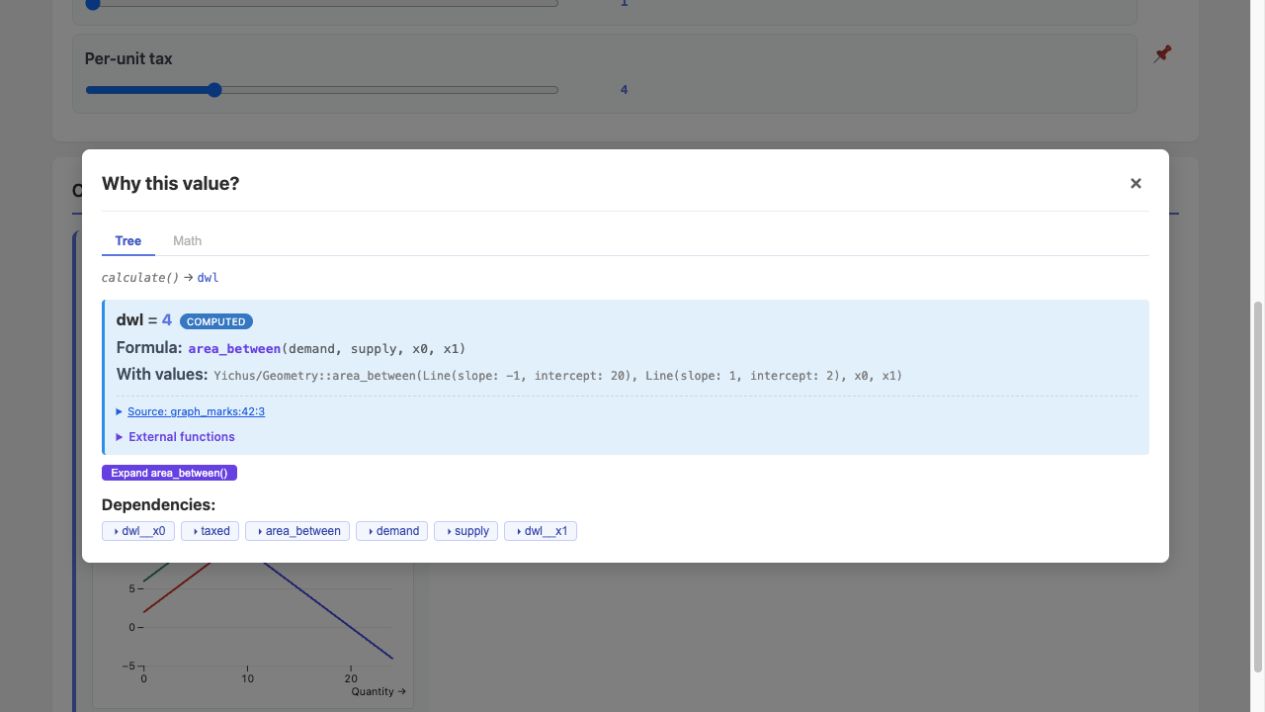
Charts work the same way. The market calculator draws supply and demand lines, and Why explains the shaded deadweight-loss area between them.
Code & run Read, edit, and compile the complete calculator
02 / See the structure
See the shape of a codebase without reading it.
In a large codebase, the hard part to see is the zoomed-out shape. What are the building blocks? Which definitions are shared, and which abstractions get reused? Which parts break the conventions the rest of the code follows?
Usually you learn this from a tour by someone who knows the code well, then build your own picture over months of working in it.
Yichus draws these structures straight from the compiled program. Use the maps to get to know a codebase, to keep as a reference while you work, and to check that an agent is building in a pattern you like, so you can tell it to change course when it isn’t.
Here is Icetakes, a community reading site built with Yichus, as a layer diagram. Its packages judge submitted articles with the help of a “lawyer” model, which is why so many names start with Lawyer. Each box is a package, and each arrow points to a package it is built from. Every arrow points down, because the compiler rejects a package that depends on one above it. What differs between programs is how far the arrows reach and where direct IO operations sit.
Try itTap a package to see what it uses, what uses it, and which tables it reads and writes.
Loading the Icetakes layer diagram. Read about the lenses.
Inside one package
The forum app on this site is a single package. The lenses below show its definitions three ways.
Try itTap a definition, then switch tabs to see it from another side.
Loading the forum’s lenses. Read about the lenses.
Checking an agent’s work
Lenses also show when an agent copies logic instead of reusing it. In this shop, cart, checkout, and support each work out how much stock can be sold.
Try itPress After the fix to see the program once the copies share one definition.
Loading the recorded dependency map. Read the stock-rule example.
Code & run Edit the stock logic and redraw the map
03 / Verify
Check the rules your application is supposed to follow.
When an agent says your API is done, the questions that matter are about every case. Can a user ever see someone else’s data? Can two requests arriving together break a balance? Does a function really follow the rule it is named after?
Tests exercise chosen inputs. Yichus also analyzes compiled Bosatsu to check declared rules independently of the agent’s summary. Its access checker reasons about supported database operations across requests; other checks explore bounded cases, sample inputs, or prove a translated theorem.
Read the scope beside each result: holds, violated, or could not decide (the tools use different labels). An incomplete search cannot pass. An access violation can mean a guard was not proven, without demonstrating a leak. A pass covers the stated property and assumptions, not the whole application.
Use them to gate an agent’s changes in CI, to let the agent check its own work as it goes, and to check an agent’s report against the program.
Try itThis Notes API reads a fixed user’s notes. Press After the fix to compare the repair: reading the caller’s notes instead.
Loading the recorded access check. Read the Notes example.
Code & run Run the handler, check access, and compare the fix
Read the source: the version with the bug · the fixed version
Other verifiers answer questions like these:
- Protocol check: explore compiled handlers under declared requests, retries, and fault bounds.
- Distributed-systems check: explore a declared model’s message schedules and crashes within stated bounds.
- Law check: test sampled inputs or exhaust a declared finite domain. Lean proofs establish the translated theorem for supported shapes.
- Claim check: compare supported structured claims with program evidence.
These build on established model checking, property-based testing, and Lean proofs.
04 / A larger app
A full game is written the same way.
Most examples on this site are small. We wanted to know whether the approach holds up for a real app, so we built a game. In this time-travel puzzle, the rules and its interface are Bosatsu programs, and each level is a data file they read, so adding a level means writing a file.
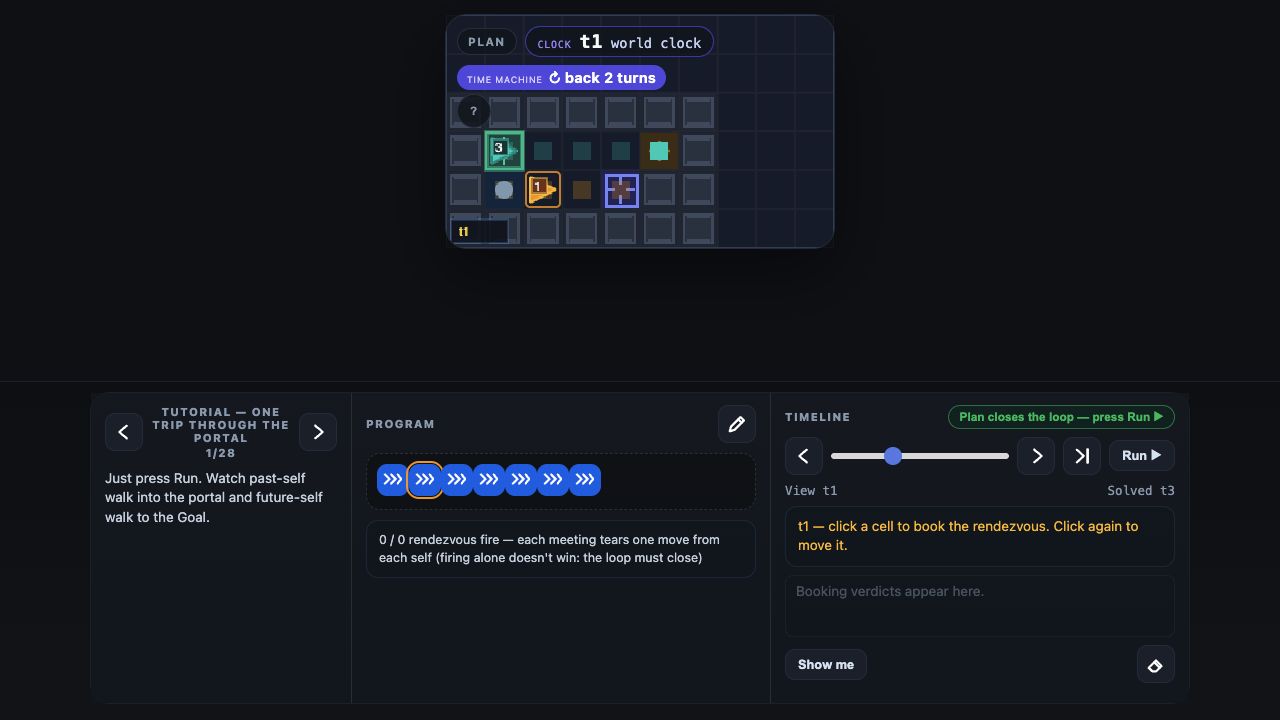
A portal sends a copy of you back in time. Plan where the two of you meet, then scrub through the replay.
Code & run Read the level files and the game rules
05 / Precomputed updates
The compiler decides ahead of time which element each change updates.
Web frameworks spend a lot of work finding out what changed on the page after each update. React, for example, re-runs components and compares the results.
Yichus already knows what each part of a program depends on, so we tried letting the compiler work that out ahead of time. For the counter below, it knows that a change to count only needs to rewrite one element’s text, so nothing else on the page is redrawn.
The counter’s compiled binding
count → count-display.textContentConvert the integer to text, then update this element.
You can compare it with React in your browser. The benchmark times how fast each one accepts updates, which is not the same as how fast each finishes drawing, and the numbers depend on your machine.
Code & run Read and run the compiled counter
Evidence
Does any of this help?
Tools like these are only worth it if they actually help, so we test them. We give agents real tasks with and without the tools and score the results, and we publish each experiment’s method, raw results, and failed rounds. The results so far are small and mixed. In the code-review experiment below, the reviewer reading computed facts did slightly better, but a source reader with no token limit found everything. We ran these ourselves; nobody independent has checked them.
One result: reviewing code with and without the facts
The fact-tooling benchmark plants defects in a generated Bosatsu codebase and asks two AI reviewers to find them. One reads facts computed from the program; the other reads the source. Both are scored against the same hidden list. Each result is a single run, and the record names the agent setup but not exact model IDs. In round 008 the codebase had 46,922 lines and 26 planted defects. The 60k token caps did not hold, and both reviewers spent about 100k tokens. The reviewer reading facts found 25 of 26 and the one reading source found 23. With no cap at all, the source reader found all 26. See the full scoreboard, conditions, and raw artifacts for every round.
Getting started
Use these tools from your own agent.
Everything above runs on this site’s examples. To use it on your own program, you want the checks where you already work: in the conversation with your coding agent, or in a script that runs on every change.
Usually that means cloning a repository, building it, and wiring it into your editor before you find out whether it helps.
We made the same tools available three ways. Once you connect your agent, the guide and reference pages on this site share what they show and their controls with it over WebMCP, and the workbench page adds tools to compile a program and run the checks, all inside your browser tab. Opened directly in Codex’s built-in browser, the workbench needs no install at all. For agents that run tools on your machine there is an MCP server, and for scripts and CI there is a command-line tool, yichus. Those two install from a copy of the repository for now. How to connect each one →
The archive lists early UI fixtures and development examples.